

In this release
This release introduces Time-Aware Virtual Agents and Dynamic Multi-Language Support, allowing your AI to automatically adjust its behavior based on business hours and the caller’s language. Along with the addition of new languages, we’ve improved troubleshooting visibility, strengthened device security as well as bug fixes.
IMPORTANT NOTE! When upgrading from version 5.0.59 or older, follow the following procedure (click to expand)
If you are upgrading a Spark system, you may ignore the special instructions.
For any other system of version 5.0.59 or lower please perform the following steps:
1. run
yum install xorcom-centos-release
2.  run
yum update
This will ensure the system will be updated from the correct repositories.
Virtual Agents
Our Virtual Agent continues to evolve, becoming more accessible and easier to manage. This update focuses on global flexibility, schedule-aware intelligence, and improved oversight.
Business Hours & Schedule Awareness
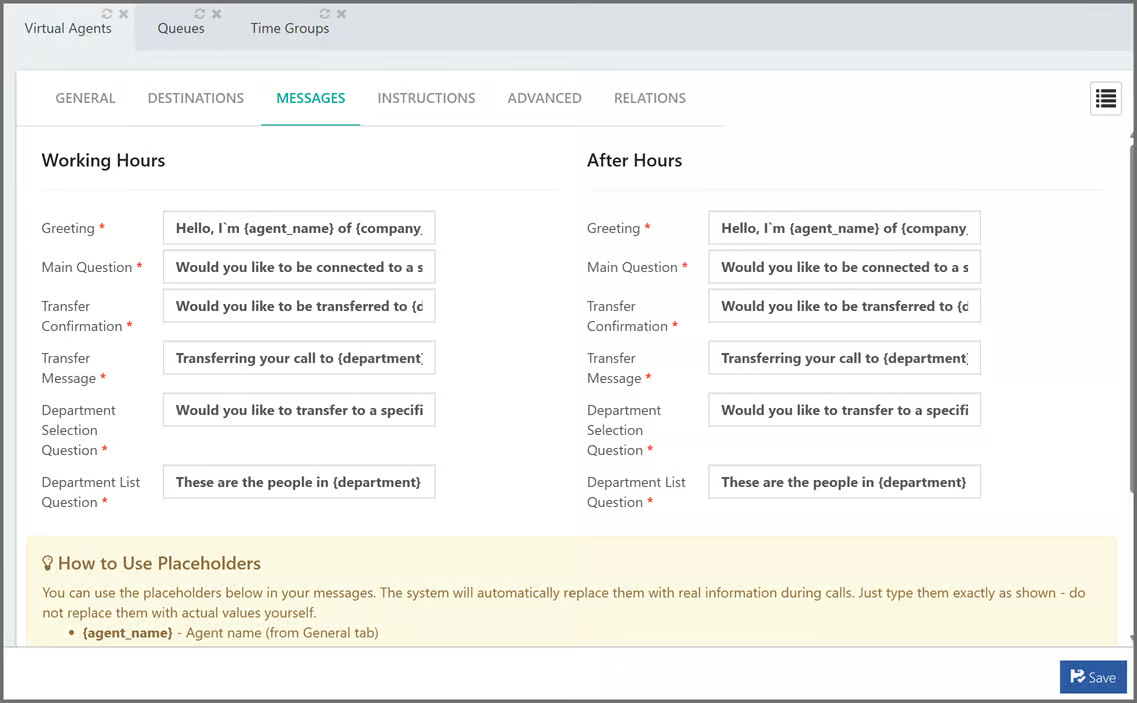
Virtual Agents can now be linked to specific Time Groups, allowing them to behave differently based on your business schedule. You can configure unique “Working Hours” and “After Hours” instructions, ensuring callers receive the right information or routing (such as night-time greetings or on-call transfers) automatically.
Dynamic Multi-Language Support
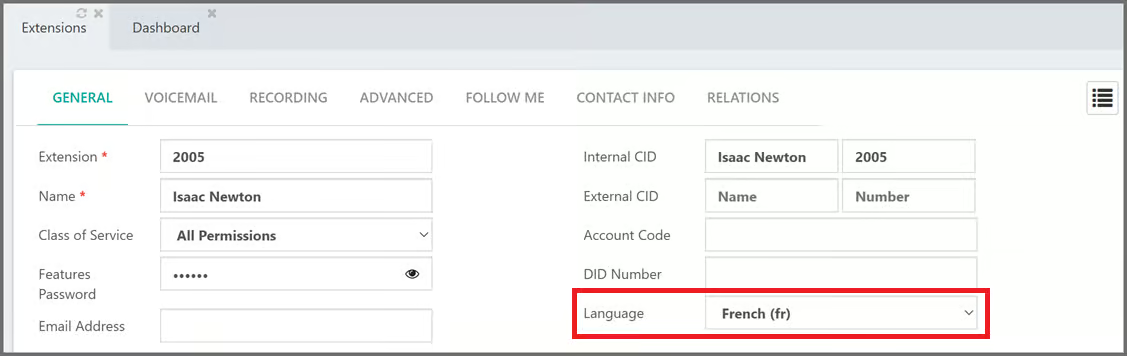
The Virtual Agent now automatically adapts to the caller’s extension language, synchronizing how it listens, processes, and speaks. This ensures a fully localized experience from speech recognition to the final voice response, allowing a single agent to support a global team in their native tongues without manual configuration.
To enable this feature, add extension_language_override=yes on ADVANCED tab of the virtual agent
Enhanced Prompt Version Control (Custom Agent)
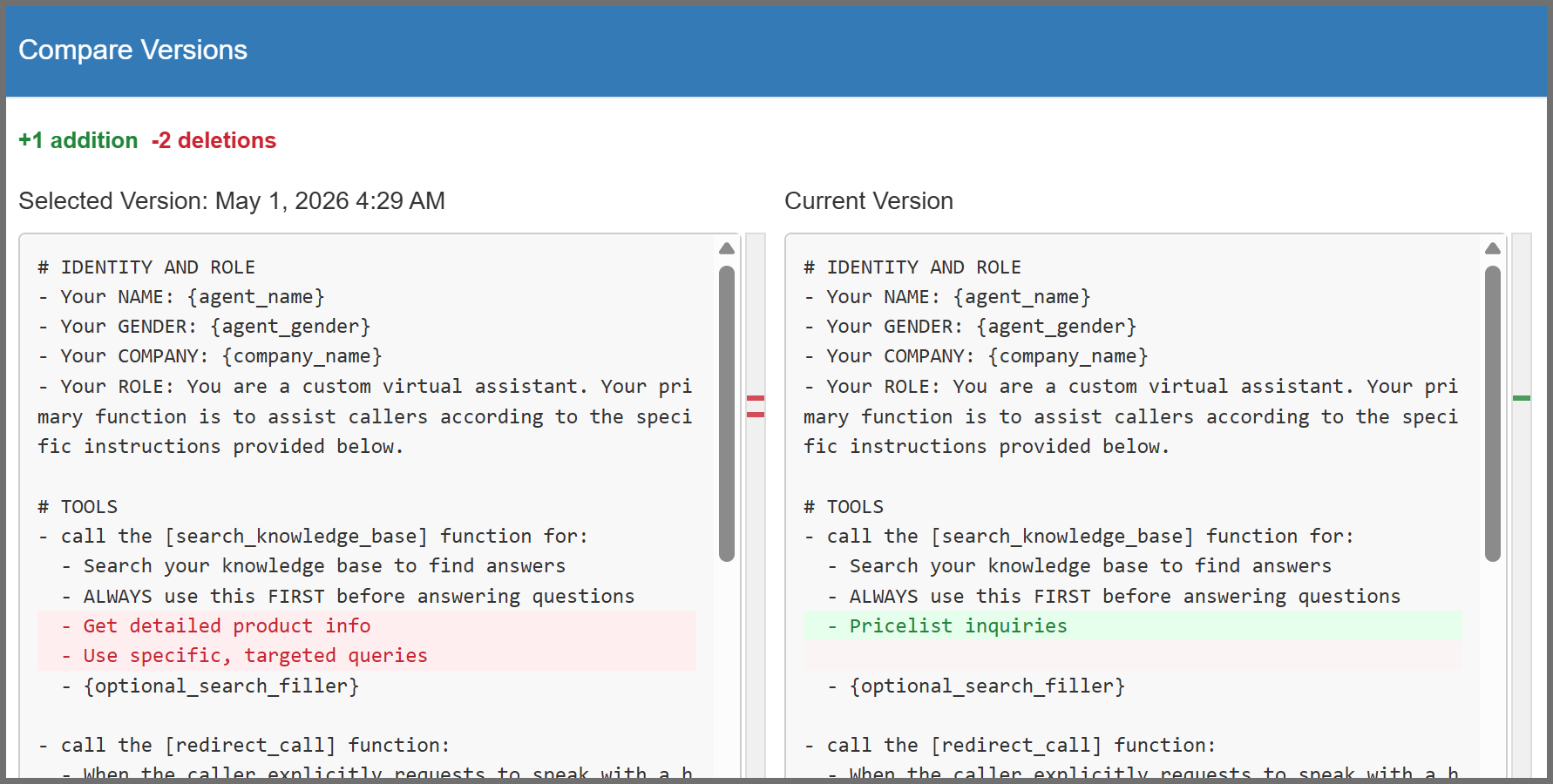
Improved the “diff” view with a new summary of total changes and scrollbar markers, making it easier to quickly locate and review updates between system instructions.
Expanded Local Language Support
The Virtual Agent now supports Filipino and Cebuano, allowing for more natural and accessible interactions. You can now configure your agents to understand and respond in these languages, ensuring a better localized experience for users across the Philippines.
Improved AI Troubleshooting
Virtual Agent activity is now included in the system’s Diagnostic Mode. Enabling this mode automatically captures detailed service logs, making it easier to monitor executions and resolve technical issues directly through the web interface.
Auto Provisioning
- Device Security: Updated Poly EDGE phone settings to block unsolicited “ghost calls” from unknown sources, ensuring the phones only ring for legitimate calls from your system.
Bug Fixes
- Backup & Restore: Fixed a path mapping error that caused media files from older system backups to restore to the wrong directory.
- Statexplorer: Fixed a bug that allowed users to see all IVRs regardless of their assigned restrictions, ensuring that the single IVR limit is now correctly enforced.
- Virtual Agents
- Fixed a bug where restoring older backups would block the agent from starting, ensuring it remains fully functional after a system restore.
- Fixed an issue where the agent would interrupt a caller with a “no response” prompt while they were still speaking by ensuring the silence timer is now cancelled the moment voice activity is detected.
- Fixed a bug where script and tool modification times were displayed in UTC instead of the local system time.
- Fixed a bug where call summaries failed to generate if a user hung up while the agent was processing a list or using a custom tool.
- Call Summarization: Fixed an issue where call summaries incorrectly reported a greeting from the caller even when the call ended before they spoke.