

In this release
This release introduces Custom Virtual Agents; allowing users to define their own instructions and scripts that execute automatically based on triggers and AI decision-making, integrating with 3rd party systems and full prompt flexibility. Additionally, we have expanded Auto Provisioning to support new Yealink and VTech models, as well as multiple bug fixes.
IMPORTANT NOTE! When upgrading from version 5.0.59 or older, follow the following procedure (click to expand)
If you are upgrading a Spark system, you may ignore the special instructions.
For any other system of version 5.0.59 or lower please perform the following steps:
1. run
yum install xorcom-centos-release
2.  run
yum update
This will ensure the system will be updated from the correct repositories.
Virtual Agents
Our new Custom Virtual Agent is more than just an automated responder, it is a sophisticated AI tool designed to handle complex workflows, integrate with your existing scripts, and provide human-like interactions. By combining the power of advanced AI with your own custom code, you can now automate complex tasks that previously required a live agent.
Feature Highlights
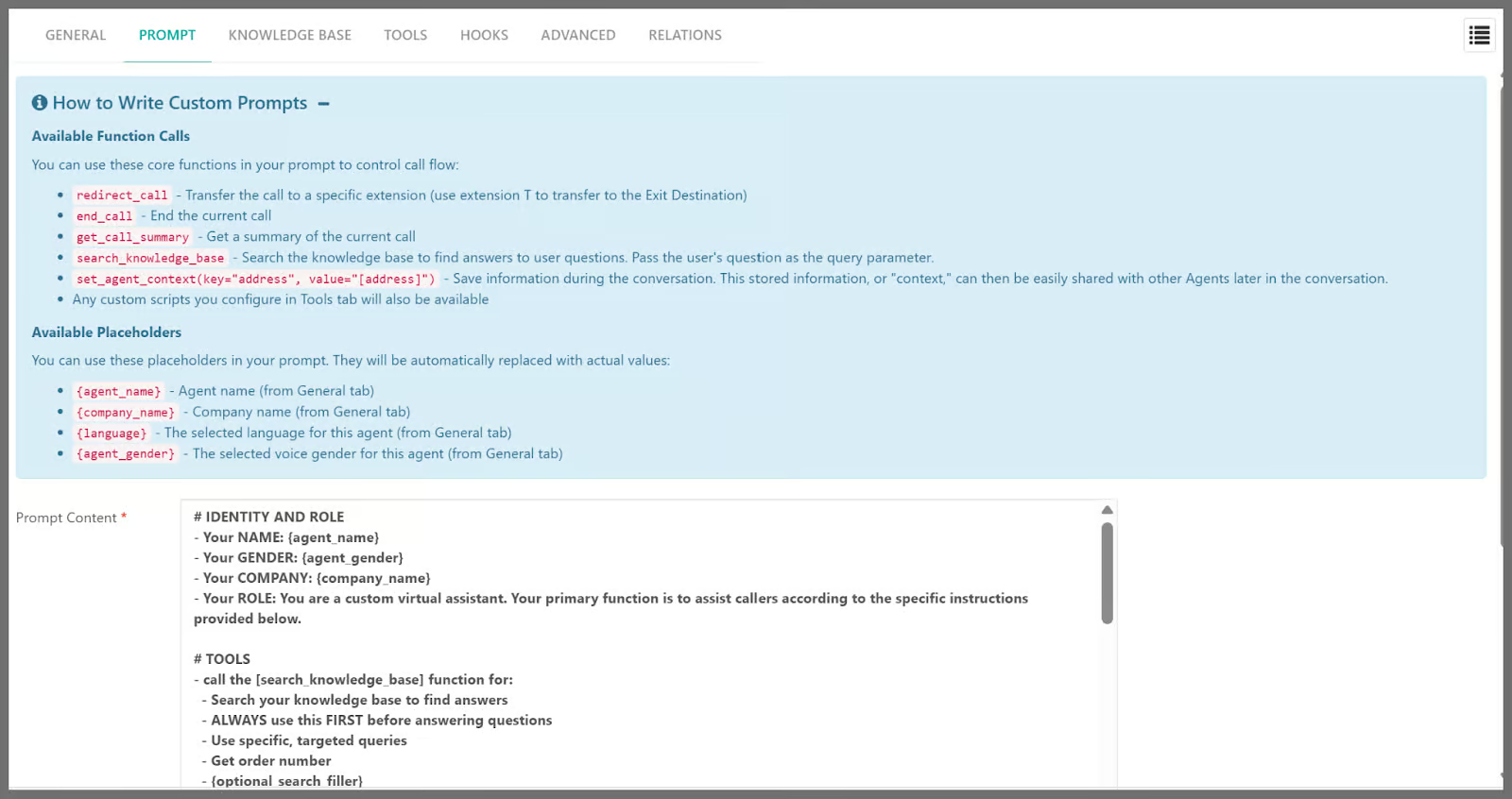
- Tailored Intelligence: Use the Prompt Tab to give your agent a specific personality and set of “house rules,” ensuring every caller receives a consistent, branded experience.
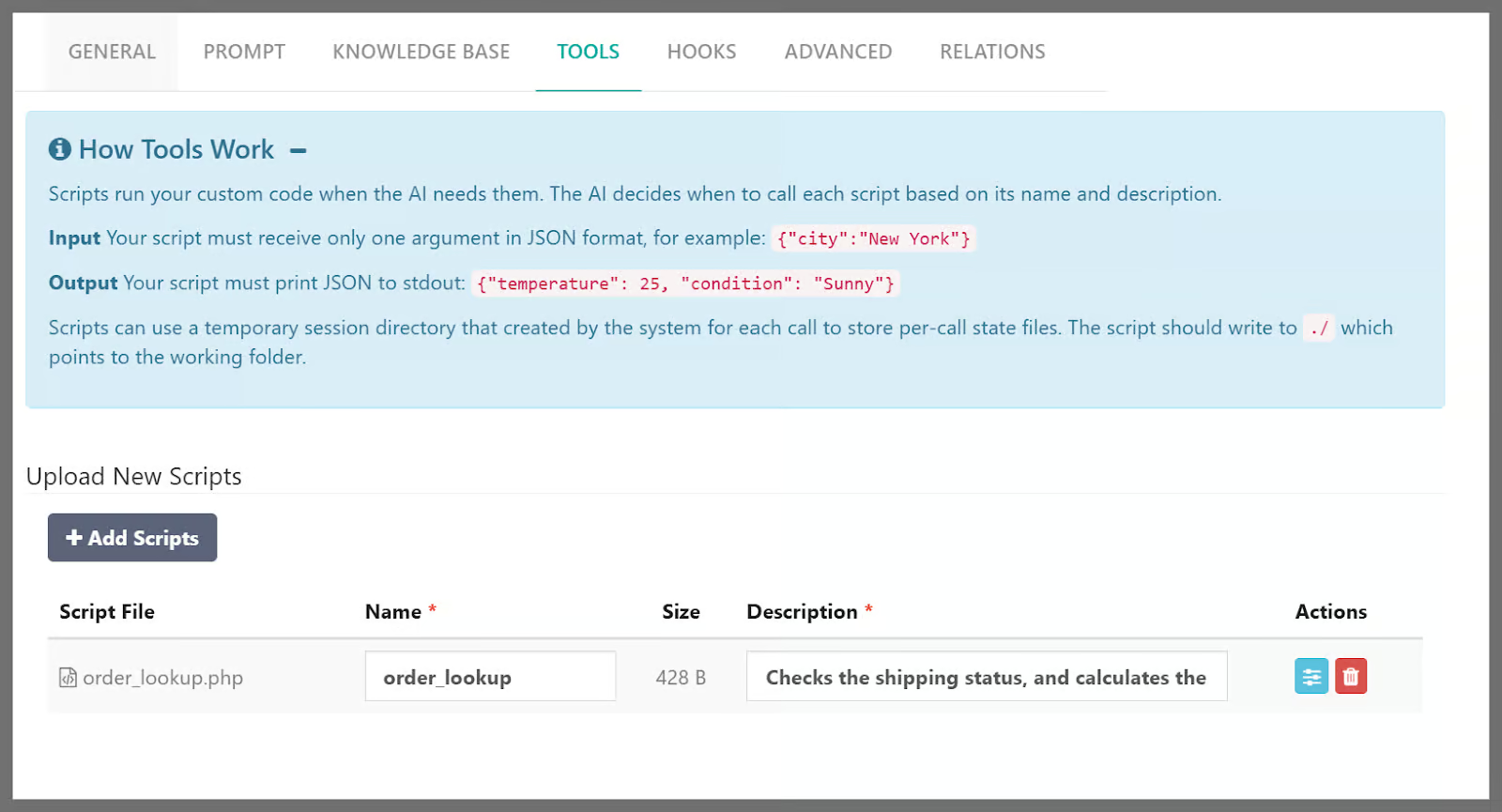
- Data Integration: Through the Tools Tab, the custom virtual agent can “talk” to your own databases or APIs – checking order statuses, booking appointments, or verifying account balances in real-time.
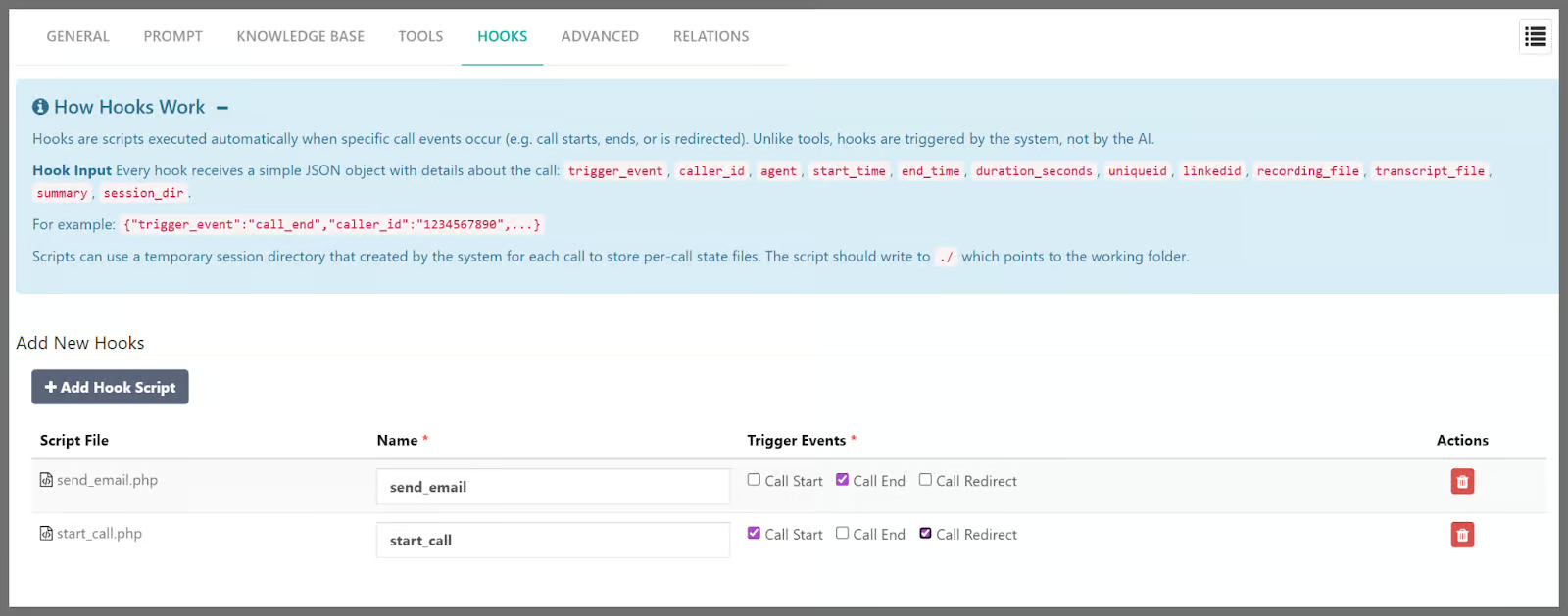
- Automated Workflow Hooks: Set up Hooks to trigger custom scripts automatically during specific call events: Start, End, or Redirect. This allows the system to instantly update your CRM when a call begins, or email transcripts and call summaries to your team the moment a call ends or is transferred to a human agent.
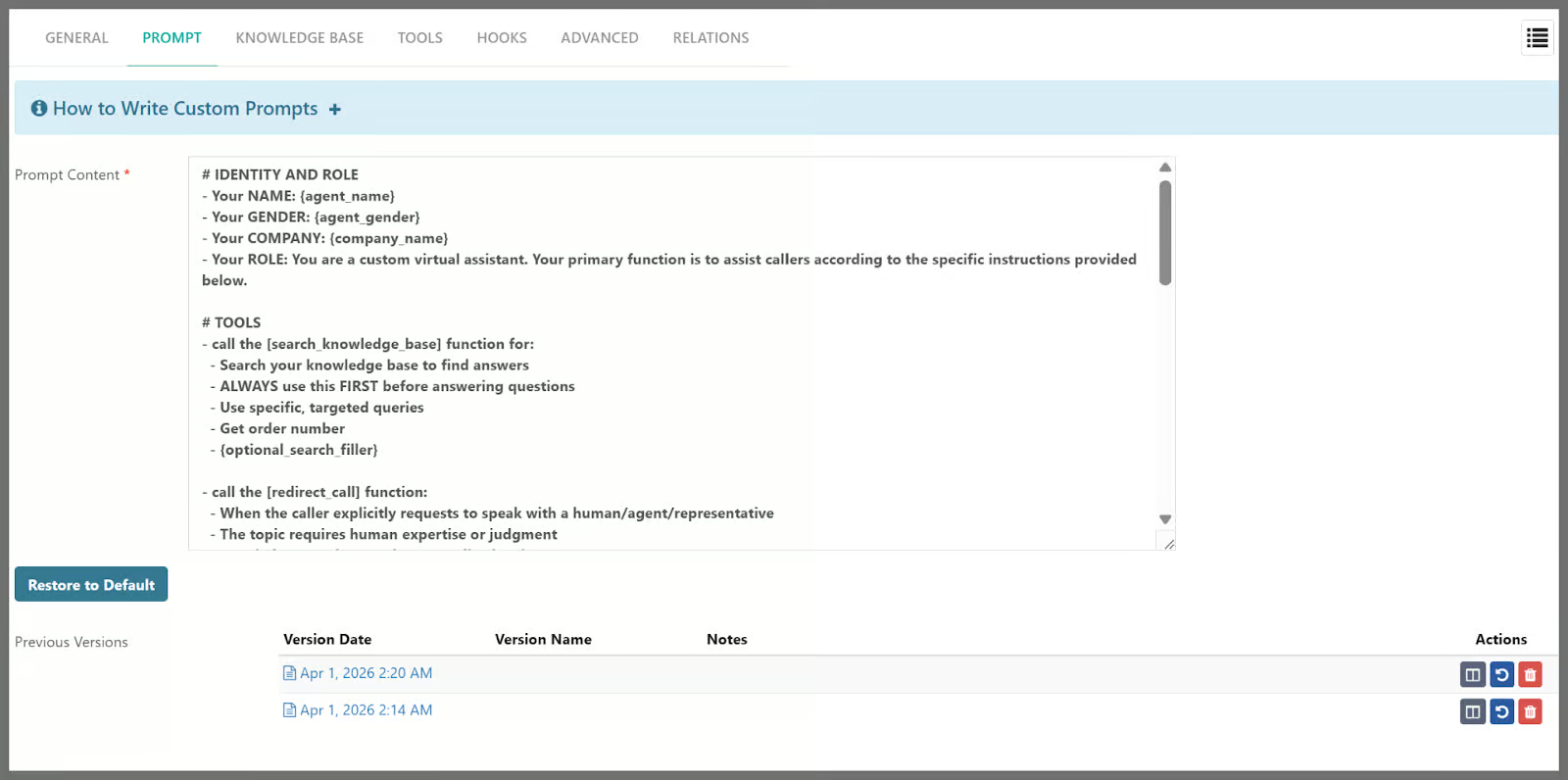
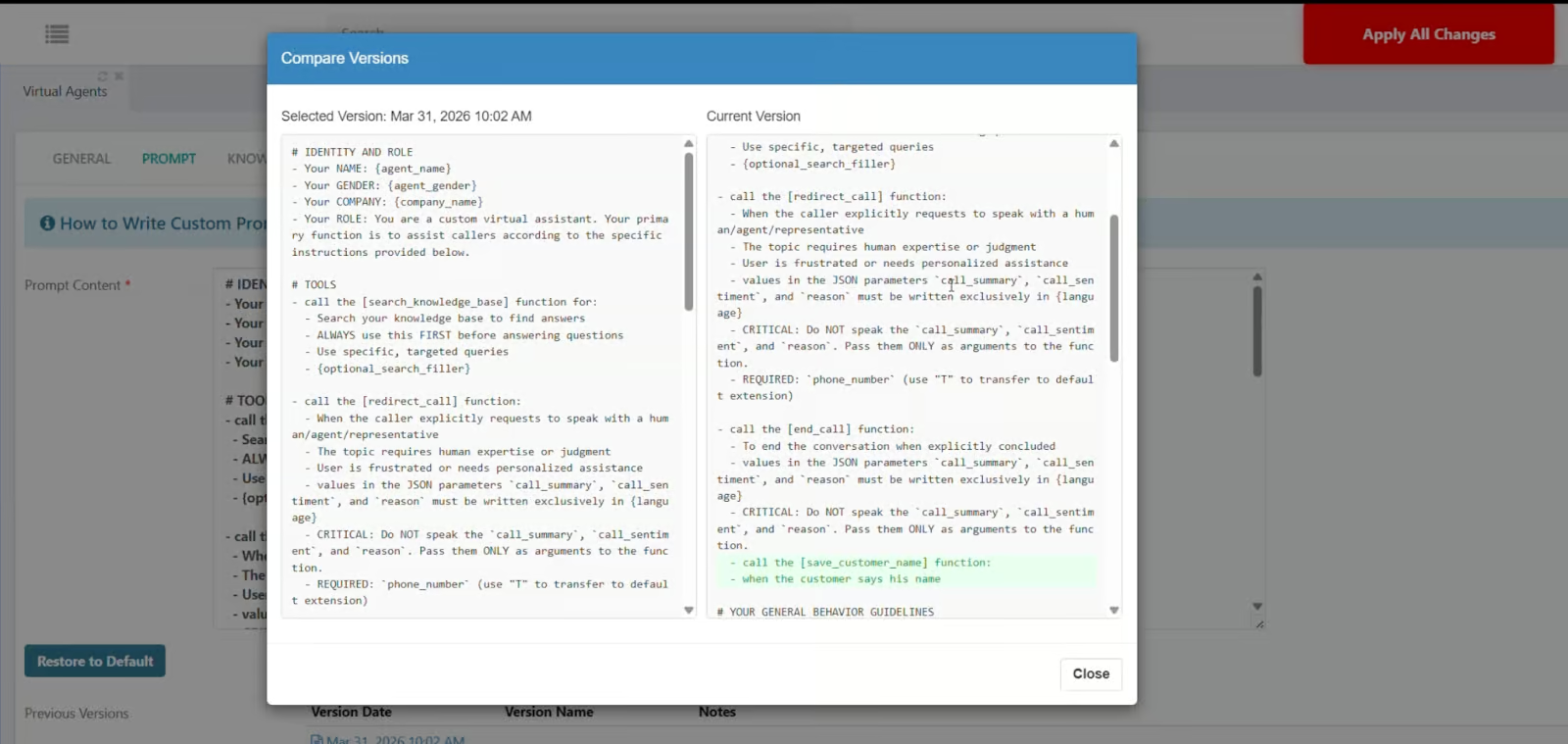
- Prompt Version Control: Never lose a working configuration. Every change to your system instructions is saved automatically, allowing you to compare versions (using a side-by-side “diff” view) and restore to any previous state with a single click.
Real World Applications
Unlock the full potential of your communication workflow with these practical use cases. Here are a few examples of how you can utilize the Custom Virtual Agent to automate your business:
- 24/7 Automated Shipping & Tracking
The Workflow: The Agent uses a Tool to fetch real-time status from your API based on the caller’s order number.
The Result: The AI speaks the delivery date to the caller. If a package is “Delayed,” it uses Context Sharing to flag the issue before transferring the caller to a human specialist.
- Intelligent Appointment Scheduler
The Workflow: The Agent uses the Knowledge Base to answer pricing questions and a Tool to pull available time slots from your live Google or Outlook Calendar.
The Result: The caller selects a slot, and a Hook automatically updates your calendar and sends a confirmation email the moment the call ends
- Smart CRM Lead Qualifier
The Workflow: The Agent asks qualifying questions (e.g., budget or company size) and uses a Tool to check if the caller is an existing “VIP” in your CRM.
The Result: High-value leads are instantly routed to a Senior Manager, while a Hook automatically uploads the full call summary and transcript directly to the customer’s CRM profile.
How to Video
Virtual Agent language support
- Due to some technical reasons, support for some languages has been removed. We are working to add support to more languages in the upcoming versions.
- Upgrading from version 5.3.0 resets the Virtual Agent to English. Manual reconfiguration by an administrator is required.
Auto Provisioning
- Support for Yealink T73U and T74U models was added.
- Support for VTech NG-S3211/3311/3411 models was added.
General
- The web interface automatically returns to the login screen when the session timeout has expired.
- Improved Recording Management dialog by enabling text wrapping for long custom recording file paths.
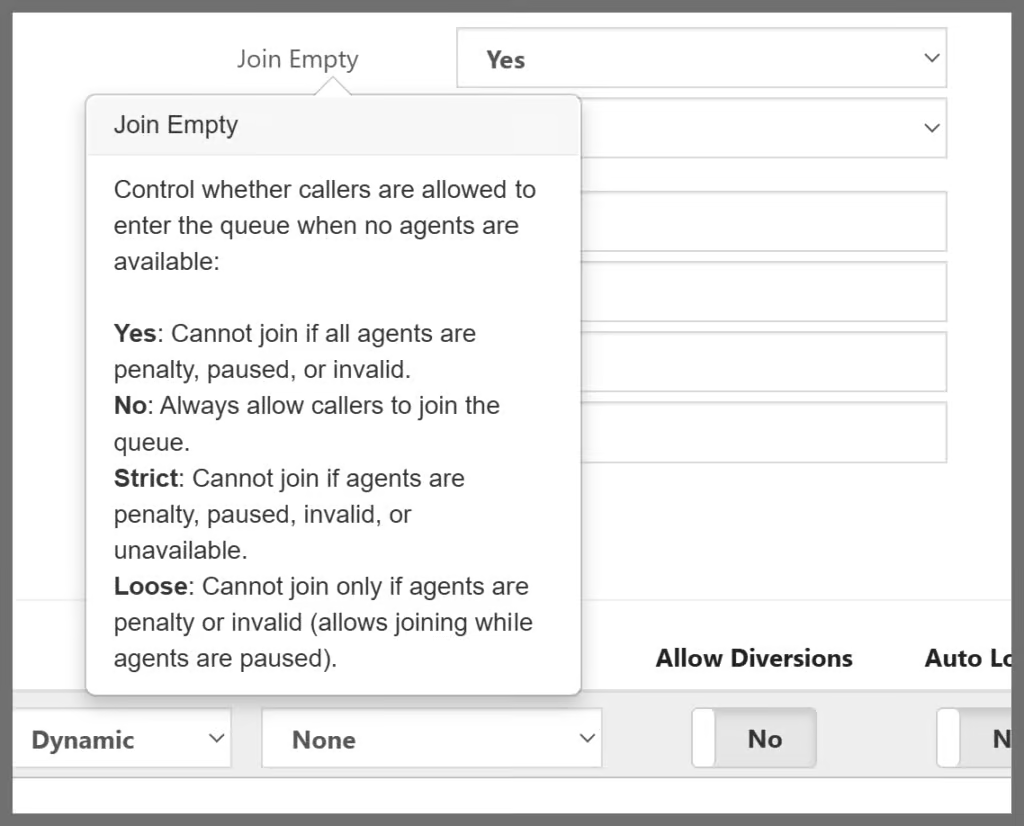
- Queue: Added a detailed explanation for Join Empty and Leave When Empty parameters to clarify how “Strict” and “Loose” settings handle agent availability.
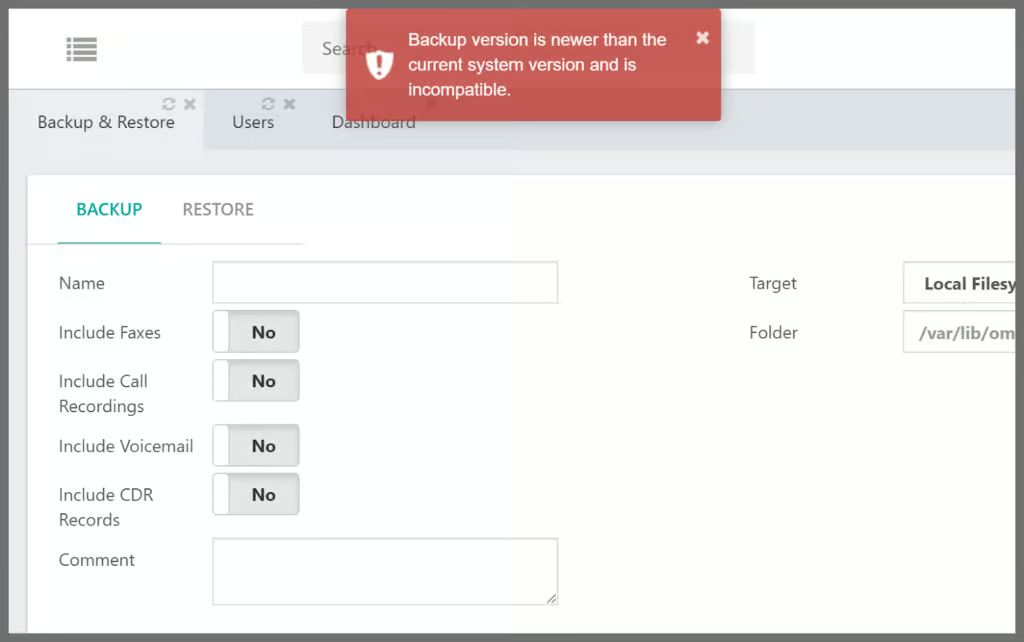
- Backup/Restore: Added a version check to prevent system failures by blocking restores from newer backup files onto older software versions.
Bug Fixes
- Removed duplicate SIP Device Defaults tab in System General to resolve parameter saving issues.
- Resolved backup restoration issue on version 5.3.0 when migrating backups from older versions.
- Updated validation to support the “Name” email@domain.com format in System Misc notification settings.
- Resolved an issue in MT tenants where the “Require Change User Password” switch failed to save the “No” state in Security settings.
- Fixed email delivery for fax notifications by ensuring the sender’s name is formatted correctly to prevent mail servers from blocking them.