

Complete the whole course of free VoIP online training to receive free certification.
What are Queues, and how to implement them in CompletePBX 5, virtual software PBX, free training video.
Download and install free virtual PBX software and start the training here – virtual PBX training.
A certificate that includes your name & the name of your company is issued upon completion.
Complete online VoIP certification for free.
Xorcom virtual IP PBX for hotels, enterprise, schools, call centers, free for download. Asterisk-based IP PBX appliances and hardware, phone systems for call centers.
IP-PBX: recent news & updates:

CompletePBX 5.0.43 – New Phonebook Module, Shared VM BLF and More
Improvements New Phonebook Directory Module A new Phonebook Directory module is now available (PBX -> Tools -> Phonebook). The module manages phonebooks that can be retrieved by IP phones: Automatically generates PBX extensions phonebook It is possible to...

CompletePBX 5.0.42 – Improved Hotel PMS Support, Cisco Phones, Fixes
Improvements Hotel Phone System - PMS Compatibility New PMS systems now supported including Mitel and UHLL compatible systems. Hospitality Interface (Settings -> Hospitality -> PMS Interface) now contains Mitel and UHLL protocols (used by Comtrol...

CompletePBX 5.0.41 – Emergency Call Management, Disk Cleanup & more
Improvements Emergency Call Management - a new Emergency module allows the administrator to define one or more emergency numbers and what happens when those numbers are dialed. Emergency module features: Priority - if an emergency number is dialed it will be...
CompletePBX 5.0.40 – PBX Improvements, Usability and Bug Fixes
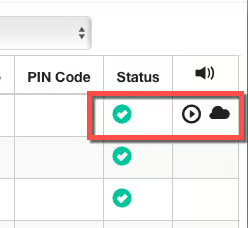
Improvements Cloud call recording icons - in case cloud call recording is activated it is now possible to see the local recording status in addition to the cloud recording status in the CDR. For example, in case the calls were set to not be automatically...
CompletePBX 5.0.39 – Task Manager, Scheduled Backups and more
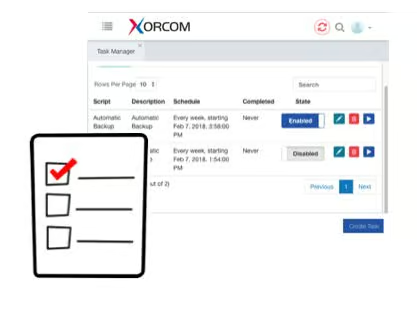
PBX Task Manager A new Task Manager was added to CompletePBX 5 phone system management (Admin -> System Settings -> Task Manager). The task manager controls the running of predefined tasks, either add-hock, scheduled or recurring. Each task is a script that...